
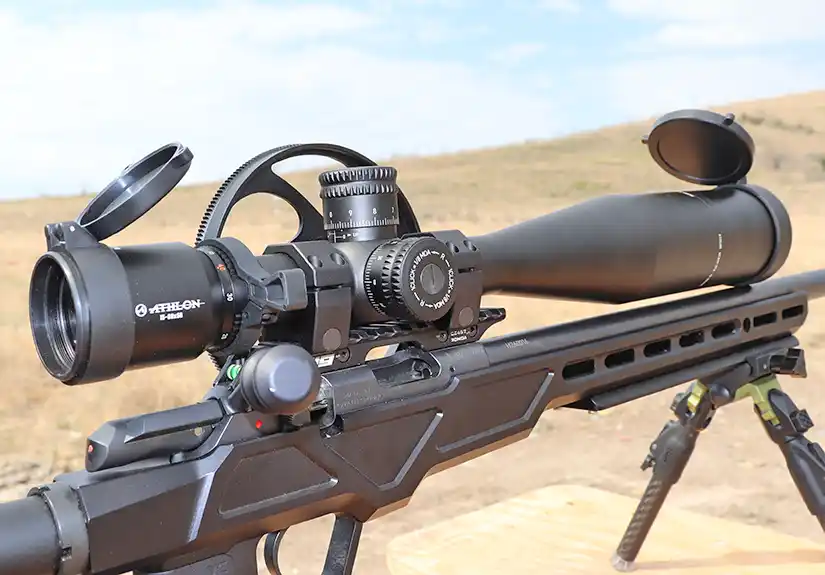
Use this rimfire ballistics calculator to estimate .22 LR bullet drop, wind drift, MOA, and MIL adjustments at common rimfire distances. It is designed as a practical range-planning tool, not a competition-grade solver, so the results should be treated as a starting point and confirmed with your own firearm and ammunition.
The first calculator estimates your trajectory. The second calculator helps answer a practical setup question: does your scope have enough elevation adjustment, or do you need a canted scope base?
Rifles will be the most common use, but rimfire pistols are included for a reason. If you shoot a Ruger Mark IV, Taurus TX22, Browning Buck Mark, or similar pistol at longer handgun distances, it can be useful to estimate holdovers at 25, 50, or 75 yards. For most pistol shooters, this is more about having fun, learning your equipment, and making better first-round guesses on steel than chasing perfect ballistic data.
Both tools are intended as practical starting points. Actual results can vary by rifle, pistol, barrel length, ammunition lot, suppressor use, weather, and real muzzle velocity. Always confirm your data at the range before relying on it.
Rimfire Ballistics Calculator
Use this calculator first. It estimates .22 LR bullet drop, wind drift, MOA, and MIL values at common rimfire distances.
Best use: comparing ammunition, zero distance, wind, and target distance before confirming your actual point of impact at the range.
Rimfire Ballistics Calculator
How to Use the Rimfire Ballistics Calculator
Start by selecting your firearm platform and ammunition. The ammo presets provide a basic starting point, but your actual velocity may be different. For the best results, use chronographed velocity from your own rifle or pistol.
Next, enter your zero distance, maximum distance, wind speed, and wind angle. The calculator will estimate your bullet drop, wind drift, MOA adjustment, and MIL adjustment at common rimfire distances.
The results are not a substitute for real range data. They are best used to compare different zero distances, ammunition types, and wind conditions before confirming your actual point of impact.
Why .22 LR Ballistics Vary So Much
Rimfire ammunition can vary more than many shooters expect. Two rifles shooting the same load may produce different muzzle velocities. Even different lots of the same ammunition can change your point of impact, especially past 100 yards.
Barrel length also matters. A load rated at a certain velocity may not produce that exact speed from your firearm. A rifle, pistol, Ruger 22 Charger, AR-22 pistol, and suppressed setup can all produce different results with the same ammunition.
That is why the velocity field is editable. Published velocity is useful, but chronographed velocity from your own firearm is better.
Why Include Rimfire Pistols?
Most shooters will use this calculator for rifles, but pistols still have a place here. A rimfire pistol is not usually a long-range tool, but it can still be helpful to know your approximate holdover at longer handgun distances.
If you are shooting steel, plinking, or stretching a .22 LR pistol for fun, a rough estimate at 25, 50, or 75 yards can save time and ammunition. The goal is not perfect competition data. The goal is to understand your equipment well enough to make better corrections once you are on the range.
Why Ballistic Coefficient Is an Estimate
Ballistic coefficient data is not always easy to find for rimfire ammunition. Some manufacturers publish it, but many common .22 LR loads do not include a clearly listed BC. Even when a value is available, real-world results can still vary by firearm, velocity, bullet shape, and conditions.
For that reason, the calculator includes BC estimate options by ammo type, along with an editable ballistic coefficient field. Use the preset as a starting point, then adjust it if you have better data from the manufacturer or from confirmed range results.
Understanding Drop, MOA, and MIL Results
Bullet drop is shown in inches so you can see the estimated physical drop at each distance. MOA and MIL values make it easier to dial corrections or use reticle holds instead of guessing in inches.
Make sure your scope adjustment system matches the output you use. If your scope has MOA turrets, use the MOA column. If your scope uses MIL adjustments, use the MIL column.
Wind Drift with .22 LR
Wind has a big effect on .22 LR, especially at 100 yards and beyond. A light crosswind can move a rimfire bullet enough to matter on small targets. The calculator includes wind speed and wind angle so you can estimate how much drift to expect.
A full-value crosswind has the largest effect. A headwind or tailwind has much less horizontal effect. Real wind rarely stays perfectly steady, so treat the wind drift number as an estimate instead of an exact correction.
Scope Elevation and MOA Base Calculator
Use this calculator after you have an estimated or confirmed bullet drop. It helps determine whether your scope has enough upward adjustment for the distance you want to shoot.
Best use: checking whether your current scope can dial the required elevation, or estimating whether a 15 MOA, 20 MOA, 25 MOA, or 30 MOA base may be needed.
Scope Elevation and MOA Base Calculator
How to Use the Scope Elevation Calculator
Enter your zero distance, target distance, and known or estimated bullet drop at that distance. If you used the rimfire ballistics calculator above, you can use its drop number as a starting point. If you have confirmed drop from the range, use that instead.
Next, enter your available upward scope travel. The best method is to zero your rifle, then count how much upward adjustment remains before the turret tops out. If you only know your scope’s total elevation travel, the calculator can estimate usable upward travel, but that number should be treated as an approximation.
The calculator compares the required correction against your available elevation and desired reserve. If your scope does not appear to have enough adjustment, it will estimate how much additional cant may be needed.
Does Your Scope Have Enough Elevation?
This matters because total scope travel is not the same as usable upward travel after zero. For example, a scope with 60 MOA of total elevation does not usually give you 60 MOA of upward adjustment after zero.
If the scope is mechanically centered, you may have about half of that available in each direction before zeroing. After zeroing, the actual available upward travel can be more or less than that.
The most accurate method is to zero your rifle, then count how much upward adjustment remains before the turret tops out. If you know that number, enter it into the calculator.
When You May Need a Canted Scope Base
A canted scope base angles the scope downward relative to the barrel, which gives you more usable upward elevation for longer shots. Common rimfire options often include mild to moderate cant, such as 15 MOA, 20 MOA, 25 MOA, or 30 MOA, depending on the rifle and base manufacturer.
For many rimfire rifles, a 20 MOA base is a practical upgrade when shooting past 100 yards. A 15 MOA base may be enough for some setups, while 25 MOA or 30 MOA bases make more sense when stretching .22 LR farther. More cant is not always better.
Too much cant may make it difficult or impossible to zero at closer distances, depending on your scope, rings, rifle, and chosen zero. Use the calculator as a starting point, then confirm your scope’s available travel before buying a heavily canted base.
Confirm Your Rimfire Data at the Range
The best way to use these calculators is to print or save the estimated results, then compare them with real targets. Shoot groups at your zero distance first. Then confirm your point of impact at longer distances, such as 75, 100, 150, and 200 yards.
Take notes on your rifle, ammunition, zero, temperature, wind, and actual impacts. Over time, your confirmed data will become more useful than any calculator.
Rimfire Ballistics Calculator Disclaimer
This rimfire ballistics calculator provides estimated trajectory data only. Actual performance can vary based on firearm, barrel length, ammunition lot, muzzle velocity, ballistic coefficient, weather, suppressor use, and shooter input.
The scope elevation and MOA base calculator also provides estimates only. Scope travel, ring height, base cant, receiver alignment, and actual zero position can all affect how much usable adjustment you have.
Do not rely on estimated ballistic data alone. Confirm all trajectory, wind, elevation, and zero data with your own firearm and ammunition before using it for hunting, competition, pest control, or any situation where accuracy matters.
Found This Useful?
If this calculator helped you sort out your .22 LR drop, wind drift, or scope setup, you can buy me a taco through PayPal.